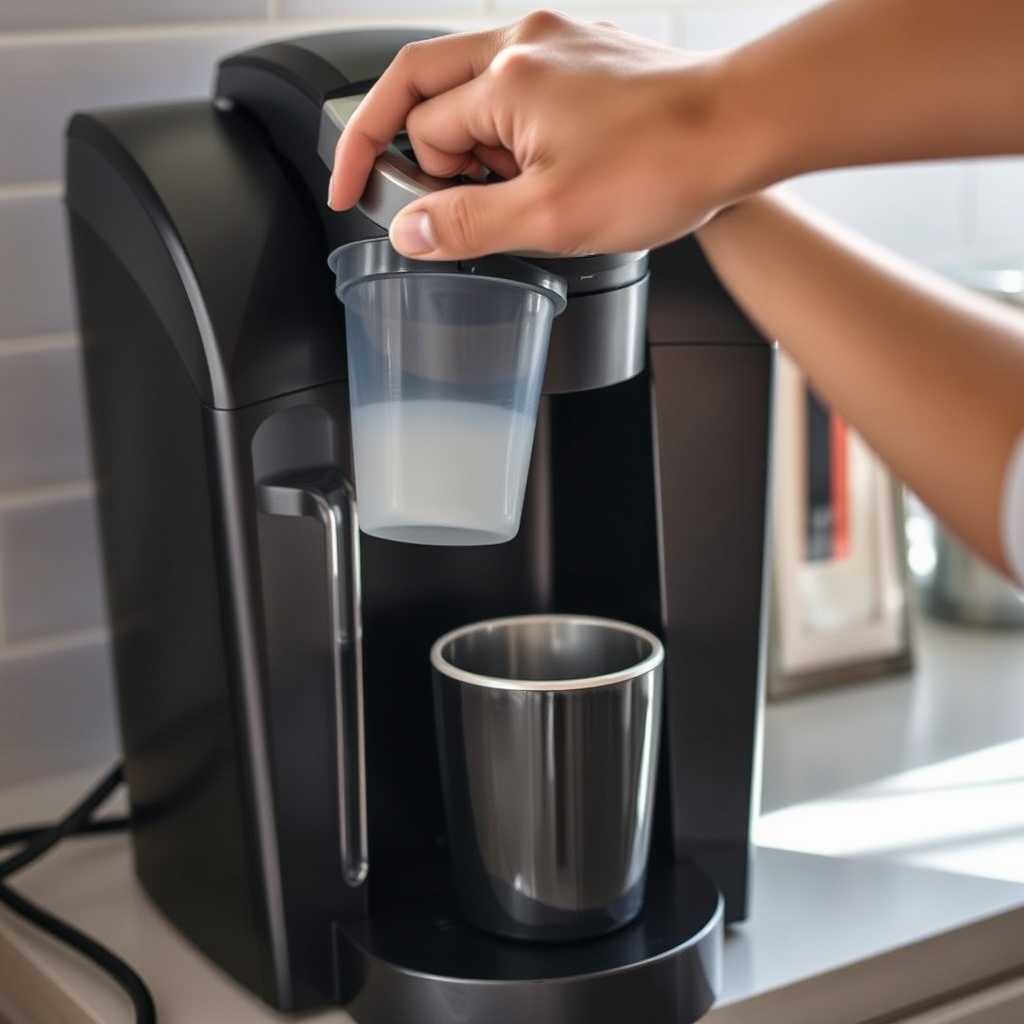
Keurig Coffee Maker Issues: How to Fix the Most Common Problems
Keurig Coffee Maker Issues: How to Fix the Most Common Problems
Your Keurig won't brew, makes noise but dispenses nothing, or leaves grounds in your cup—and you need coffee now. The good news: most problems with Keurig coffee makers come from clogged water paths, misaligned parts, or mineral deposits, not broken components. You can fix them yourself in minutes.
How we researched
We reviewed Keurig's official support resources, troubleshooting guides from commercial equipment sites, and owner solutions from repair forums to identify the most common issues and their fixes. Nothing was tested hands-on; all steps come from documented troubleshooting procedures and verified user experiences.
Keurig won't brew: water flows but cup stays empty
Your machine powers on, the lights work, and you hear the pump running—but little to no coffee comes out. This almost always means the water-delivery tubes are clogged with coffee particles or mineral scale.
How to recognize it: The machine makes brewing sounds. Water may trickle out very slowly, or the cup fills only halfway before stopping.
The fix:
- Remove the K-Cup holder by turning it slightly and lifting it out.
- Snap the holder apart into two pieces to access the metal tube at the bottom (the needle that pierces the K-Cup).
- Insert a paper clip into that tube and gently push to dislodge any stuck debris. Run water through it as you work.
- Lift the front handle all the way up. You'll see three small tubes under the lid that inject water into the K-Cup. Use the paper clip to clean each one.
- Reassemble the holder and run three cups of water through the machine without a K-Cup. Check how much water flows out and whether debris is present.
How to tell it worked: The machine dispenses a full cup of water in under a minute, and the water is clear.
If the paper clip method doesn't work, check the reservoir filter: Remove the water reservoir and look for a metal mesh filter inside it. Mineral scale can coat this mesh so thoroughly it blocks water flow. Hold the filter up to strong light—you may see a gel-like coating. Rinse it or replace it if cleaning doesn't restore flow.
Keurig won't turn on or won't brew despite lights being on
The machine is plugged in but doesn't power up, or all the brew-size buttons light up but won't respond when you press them.
How to recognize it: No lights appear on the control panel, or all brew-size lights glow continuously without brewing starting when you press the button.
The fix for power issues:
- Confirm the wall outlet is working by plugging in another device (a lamp, for example).
- Inspect the entire power cord for damage and make sure it's firmly seated at both the machine and the outlet.
- Check that the Keurig has a dedicated circuit—don't share the outlet with high-draw appliances like toasters or griddles, which can overload the breaker.
- If other outlets nearby are dead, reset the breaker in your electrical panel.
- Press and hold the power button for 3–5 seconds to wake the machine from energy-saving mode (Keyrigs enter standby about 90 seconds after the last brew).
The fix for brew-button issues:
- Fill the water reservoir above the minimum fill line.
- Remove and reinsert the reservoir, making sure it locks firmly into place.
- Insert a K-Cup, then push the brew-chamber handle down until it clicks and locks completely.
- If all brew-size lights blink in unison (not just one light), this signals an internal error—contact Keurig support rather than continuing to troubleshoot.
How to tell it worked: The machine powers on or brews a full cup without the error-light pattern.
Keurig leaks or dispenses water from the bottom
Water pools under the drip tray or drips during brewing.
How to recognize it: Puddles form on the counter below the machine or around the base, or water leaks during the brew cycle instead of flowing into the cup.
The fix:
- Check that the water reservoir is seated correctly and locked into place. A loose or misaligned reservoir is the most common cause.
- Empty the reservoir and inspect the connecting port (the bottom of the tank where it attaches to the machine) for cracks or debris.
- Empty and refill the drip tray—it may be overfull, causing overflow that looks like a leak.
- If leaking continues, the internal water line may be cracked. Contact Keurig support for warranty service.
How to tell it worked: No water pools during or after brewing.
Coffee grounds in the cup
Your brewed coffee contains particles even though you're using a pod.
How to recognize it: Fine particles settle at the bottom of the cup or float throughout the coffee, a sign of a compromised filter mechanism, typically caused by clogged or damaged piercing needles.
The fix:
- The piercing needle (the metal tube in the K-Cup holder) may be bent or clogged. Remove the holder, snap it apart, and inspect the needle tip for damage or debris.
- If the needle is clogged, use a paper clip to clean it as described in the "Won't brew" section above.
- If the needle is visibly bent or cracked, the holder needs replacement—contact Keurig or check if your machine is under warranty.
- Always dispose of K-Cups promptly after brewing and don't reuse them, which can rupture the seal.
How to tell it worked: Your next two brews are free of particles.
Descaling when mineral buildup won't clear
If clogging persists after the paper-clip cleaning, mineral scale inside the machine may need chemical removal.
The fix:
- Fill the water reservoir with a 1:1 mix of white vinegar and water.
- Run the brew cycle without a K-Cup into a mug, repeating until the reservoir is empty.
- Refill the reservoir with fresh water only.
- Run three full brew cycles with water to rinse the machine.
- For stubborn scale, repeat the vinegar cycle once more if the first pass doesn't restore full water flow.
How to tell it worked: The machine brews a full cup at normal speed and the water is clear.
When to contact Keurig support
Stop troubleshooting and reach out to Keurig support if:
- All brew-size lights blink in unison (indicates an internal error code).
- The power cord is damaged or the machine won't power on after checking the outlet and breaker.
- Water leaks from inside the machine (not the reservoir connection) during brewing.
- The needle is visibly bent or cracked.
- You have a valid receipt and the machine is within 1 year—Keurig typically replaces units that won't brew after troubleshooting.
How to prevent Keurig problems
Descale regularly: Hard water leaves mineral buildup that clogs the system. Run a vinegar-and-water cycle monthly, or more often if you have very hard water.
Clean the needle and holder regularly: Remove and rinse the K-Cup holder and needle every 1–2 weeks. Coffee residue dries and hardens over time.
Keep the reservoir clean: Empty it every few days instead of letting stale water sit. Stagnant water promotes buildup.
Use filtered water: Tap water minerals deposit faster than filtered or distilled water, accelerating scale buildup.
Don't overstuff the drip tray: Empty it after each brew so you notice leaks immediately.
FAQ
What are the most common problems with Keurig coffee makers?
The most frequent issues are clogs in the water-delivery tubes, a misaligned water reservoir, or mineral buildup from hard water. Most appear as slow brewing, partial cups, or the machine making noise without dispensing anything. These are almost always fixable with cleaning rather than replacement.
Is there a reset button on my Keurig?
Most Keyrigs don't have a dedicated reset button. To force a reset, unplug the machine for 5 minutes, then plug it back in. This clears temporary errors and restarts the control system. If the machine still won't respond, hold the power button for 3–5 seconds to exit energy-saving mode.
What should I do if my Keurig is under warranty?
If your machine is within 1 year of purchase and stops working after you've tried troubleshooting, contact Keurig support. With a dated receipt, they typically replace units that won't brew rather than attempting repair.
Why does my Keurig make strange noises during brewing?
Straining or grinding sounds usually mean the pump is working against resistance—typically a clogged needle or water line. Use the paper-clip method to clear the tubes. If you hear squealing or hissing that doesn't resolve after descaling, contact support, as internal seals may be failing.
Sources
Keurig Official Support WebstaurantStore Keurig Troubleshooting Guide JustAnswer Home Improvement Keurig Troubleshooting
Related guides
View All
How to Use a Cuisinart Coffee Maker: Setup, Brewing, and Maintenance
Learn to set up, brew, and maintain your Cuisinart coffee maker with step-by-step instructions. Covers water temperature, filter setup, common symbols, and troubleshooting for popular models.